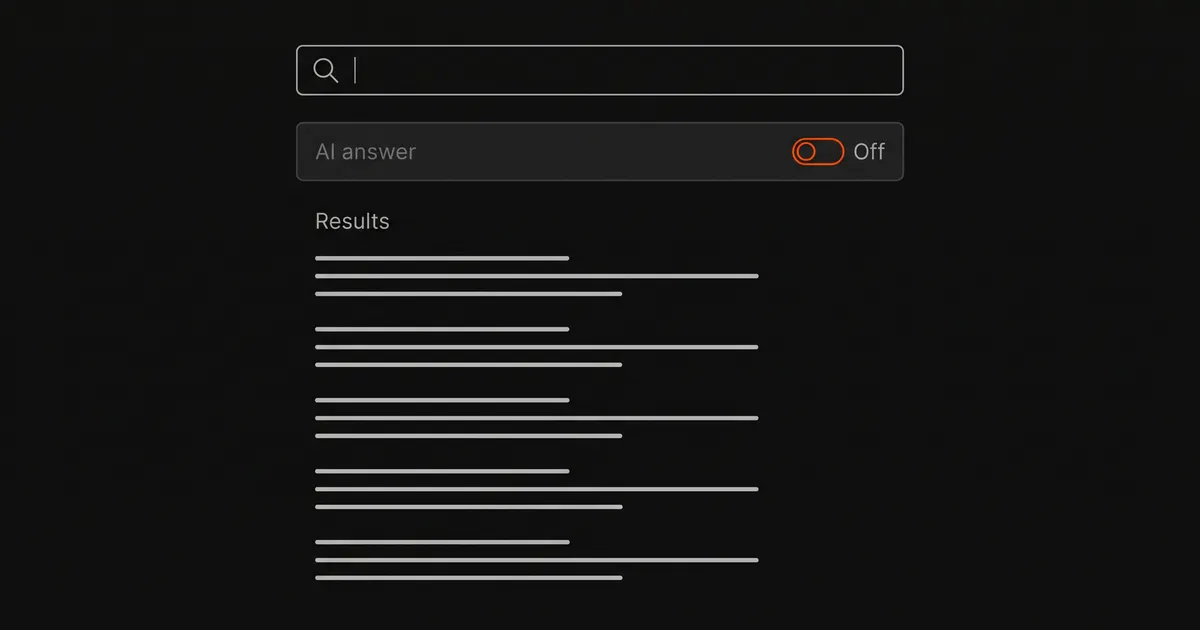
The short version
No AI answer unless you ask
DuckDuckGo No-AI at noai.duckduckgo.com removes every AI feature. Startpage has no AI setting and no AI answers switched on. Mojeek and Kagi have AI summaries, but you have to turn them on or request them.
AI by default, with a way out
Google has no off switch for AI Overviews, but its Web results filter (&udm=14) hides them. Bing drops AI answers when you add -ai. DuckDuckGo, Brave and Ecosia each have a setting that turns the AI answer off.
Which search engines show AI by default
“Without AI” on this page means without AI-generated answers, summaries and chat on the results page. Every major engine uses machine learning to rank results, and the settings below do not change that. The settings only remove the written answer above the links.
| Engine | AI answer by default? | How to remove it | Stays off? |
|---|---|---|---|
| Yes, AI Overviews | Web filter, or &udm=14 in the URL | Only if you set the udm=14 URL as your default search engine | |
| Bing | Yes, Copilot answers on some queries | Add -ai to the query, or Microsoft's AI Search Choice extension | -ai works for one search; the extension stays on |
| DuckDuckGo | Yes, Search Assist set to “sometimes” | Settings → AI Features → Search Assist: Never | Yes, in that browser |
| DuckDuckGo No-AI | No | No change needed | Yes |
| Brave Search | Yes, for question-like queries | search.brave.com/settings → Answer with AI: off | Yes, until you clear cookies |
| Ecosia | Yes, AI Overviews in 13 countries | Settings → AI-free search, or uncheck AI Overviews | Yes, in that browser |
| Kagi (paid) | Only when the query ends in ? | kagi.com/settings/ai → Auto Quick Answer: off | Yes, saved to the account |
| Startpage | No | No change needed | Yes |
| Mojeek | No, summaries are opt-in | No change needed | Yes |
“In that browser” means the setting is saved on your device. If you clear site data, use a private window or switch devices, the AI answer comes back until you change the setting again.
Google: AI Overviews can’t be turned off
Google has no setting that removes AI Overviews. Its help page calls them a core Search feature and says such features “cannot be turned off”. The “AI in Search” switch in Search Labs only opts you out of Labs experiments, and AI Overviews stay on.
Google's May 2026 changes made AI more prominent. TechCrunch reported that the revamp favours AI Overviews over links, sends follow-up questions into AI Mode and places the traditional links below. Three workarounds remove the AI Overview.
1. The Web filter
After you search, choose Web in the row of tabs under the search box. The Web tab may be under More. Google's own help page says this filter shows text-based links only, without features such as AI Overviews. The filter applies to that search only. Your next search from the Google home page shows the AI Overview again.
2. Make the Web filter your default with udm=14
The Web filter adds udm=14 to the search address. You can add a search engine to your browser that always includes udm=14. Every search from the address bar then opens on the Web filter. In Chrome on Windows, macOS or Linux:
- Open
chrome://settings/searchEngines. - Next to Site search, click Add.
- Enter a name such as “Google Web”, a shortcut such as
@web, and this URL:{google:baseURL}search?q=%s&udm=14 - Open the three-dot menu next to the new entry and choose Make default.
In Firefox, the easiest way is to add the search engine from a site that offers it. One such site is tenbluelinks.org: visit it, right-click the address bar, choose “Add Google Web”, then select it under Settings → Search. The site says your searches go straight to Google, not through its server.
udm=14 is not a documented setting. Google documents the Web filter but not the parameter, so Google could change the parameter without notice.
3. Add -ai to the query
A minus sign in front of a word tells Google to leave out pages that contain that word. In our test, how does a heat pump work -ai showed no AI Overview, while the same query without -ai showed one. The drawback is that -ai also drops pages that use the word “AI”, which matters for searches about technology. The Web filter does not have this problem.
The AI Mode tab stays in the tab bar whatever you do. It opens only if you click it.
Bing: -ai and Microsoft's extension
Bing shows Copilot answers above the results for some queries. In June 2026, Microsoft added two official ways to remove them:
- Add
-aito the end of the query. Microsoft supports this for Bing, and it works for one search at a time. - Install Microsoft Bing AI Search Choice. It is a preview extension for Chrome and Edge, published by Microsoft, with a one-click switch for AI answers. It also makes Bing your default search engine and opens Bing on every new tab, so install it only if you want both.
Older guides point to a “Copilot response on result page” switch in Bing's menu under Copilot Settings. Reports in 2026 disagree on whether every account still has this switch. If your menu does not show it, use -ai.
DuckDuckGo: a setting, or the No-AI site
DuckDuckGo's AI answer is called Search Assist. It has four levels: often, sometimes, on-demand and never. The default is sometimes, so you will see AI answers on some searches until you change it. To turn it off:
- Open Search Settings and go to AI Features. You can also click the gear icon on a Search Assist answer.
- In the Search Assist list, choose Never.
- Turn off Duck.ai to remove the chat prompts and the Duck.ai tab.
- Turn on Hide AI-Generated Images if you also want AI images out of image results.
- Select Save and Exit.
In the DuckDuckGo browser app, these settings are under Settings → AI Features, which also has a single option called Use DuckDuckGo Without AI.
noai.duckduckgo.com
The simpler option is to search at noai.duckduckgo.com. DuckDuckGo says it works the same as its normal search, except that AI-generated images are filtered out of image results by default and all other AI features are removed. The No-AI site does not depend on a saved setting, so it stays AI-free in private windows and after you clear cookies.
On 1 June 2026, DuckDuckGo released Chrome and Firefox extensions that make the No-AI site your default search engine. It said traffic to the No-AI site tripled on 28 May 2026, after Google announced its search changes.
The image filter uses volunteer-maintained blocklists of AI image sites. DuckDuckGo says the lists are not complete, so some AI images still get through.
Brave Search: switch off Answer with AI
Brave Search runs its own index and has an AI answer called Answer with AI. Since April 2024, Brave has shown it by default for informational, question-like queries. For other queries it appears only when you click the Answer with AI button.
To turn it off, open search.brave.com/settings, scroll to Answer with AI and switch it off. Answer with AI is a setting on the search site, so Brave browser settings such as the Leo assistant do not control it.
Two limits come up repeatedly in Brave's community forum:
- The setting is stored in a cookie. If your browser clears data on exit, or you use a private window, the AI answer comes back.
- The AI button stays in the search box. The setting stops automatic answers. Clicking the button still produces one.
Ecosia: one switch for everything
Ecosia turns AI Overviews on by default in 13 countries, including the US, the UK, Canada, Germany and France. They are written by a Mistral Small 3.2 model. To turn them off, open Ecosia's search settings and uncheck AI Overviews.
In July 2026 Ecosia added AI-free search, under Profile → Settings. One switch turns off AI Overviews, removes AI Chat from the menu and the autocomplete list, stops AI auto-routing, and brings back the plain search box. Ecosia says it is available on desktop now and planned for mobile.
Engines with no AI answer unless you ask
Kagi
Kagi is a paid engine. After a free trial of 100 searches, plans cost $5 a month for 300 searches, $10 for unlimited searches, and $25 for unlimited searches with Kagi's top AI assistant tier. Its AI answer, Quick Answer, runs when you click the button or press q. It also runs by itself when a query ends in a question mark. To stop that, open kagi.com/settings/ai and turn off Auto Quick Answer. After that, Kagi shows AI answers only when you ask.
Startpage
Startpage's settings page had 15 options on 30 October 2026, and none of them is about AI. The page's stored preferences include an ai_summaries value set to false, which suggests Startpage has built an AI summary feature but has not switched it on. Startpage's Instant Answers setting turns on or off the news, image and video boxes shown above results.
Mojeek
Mojeek runs its own crawler and index. In April 2024 it added AI summaries written by Mixtral, a Mistral model, from the top results, with citations back to them. They are optional: you choose to turn them on, and the normal results page has no summary. Several lists of AI-free search engines describe Mojeek as having no AI at all, but the summary feature exists.
What we checked
On 30 October 2026 we ran the query how does a heat pump work on Google, Bing and DuckDuckGo in Chrome, and read Startpage's settings page. For Google and Bing we set English and the US market in the URL.
- Google, normal search: an AI Overview at the top, and AI Mode first in the tab bar.
- Google with
&udm=14: the Web tab selected, no AI Overview, and plain links from the first line. - Google with
-ai: no AI Overview. People also ask and video results still appeared. - DuckDuckGo: a Search Assist answer at the top citing two sources, with the frequency menu (Never, On Demand, Sometimes, Often). Search Assist and Duck.ai appeared as tabs.
- noai.duckduckgo.com: no Search Assist and no Duck.ai tab. The tabs were All, Images, Videos, News and Maps.
- Bing: no AI answer above the results for this query. An AI Mode tab sat next to All.
- Startpage: no AI setting in the menu, and
ai_summariesstored asfalse.
We could not load Brave Search from our network, and Mojeek and Ecosia asked for a bot check. The Brave, Ecosia, Kagi and Mojeek sections are based on each company's documentation and, for Brave, its community forum. Engines show AI answers for some queries and countries and not others, so you may see one on a search where we did not.
Why people turn AI answers off
The usual reason is accuracy. An AI answer looks finished, but its citations do not always support it. In an October 2025 review by the BBC and the European Broadcasting Union, 45% of AI assistants' news answers had at least one significant issue. Our guide to AI search citation accuracy covers that research and a 60-second check for any AI answer.
The other reason is time. When you already know which site you want, an answer at the top only pushes the links down the page. A plain results page gets you to the source in one click.
Common questions
Which search engine has no AI?
DuckDuckGo No-AI at noai.duckduckgo.com removes all AI features, and Startpage has no AI answers switched on. Mojeek and Kagi have AI summaries, but only when you turn them on or ask for one.
Can you turn off AI Overviews in Google?
No. Google says AI Overviews cannot be turned off. You can hide them by choosing the Web filter after you search, or by adding &udm=14 to the search URL and setting that URL as your browser's default search engine.
Does DuckDuckGo use AI?
Yes. Its Search Assist answers are set to appear “sometimes” by default. You can set Search Assist to Never under Search Settings → AI Features, or use noai.duckduckgo.com, which has no AI features.
How do I turn off AI in Bing?
Add -ai to the end of a query to remove the Copilot answer for that search. For a permanent switch, Microsoft offers the Bing AI Search Choice extension for Chrome and Edge, which also makes Bing your default search engine.
How do I turn off AI in Brave Search?
Open search.brave.com/settings and switch off Answer with AI. The setting is stored in a cookie, so it resets if your browser clears data or you use a private window.
Sources
- Google Search Help: AI Overviews — core feature that cannot be turned off, the Web filter, the Labs “AI in Search” switch
- Google Search Help: refine web searches — the minus sign excludes a word
- tenbluelinks.org — the
udm=14search template and browser steps - TechCrunch, 1 June 2026 — Google's May 2026 search changes, DuckDuckGo No-AI extensions and traffic
- Search Engine Roundtable, 8 June 2026 — Bing
-aiand Microsoft's statements - Microsoft Bing AI Search Choice — Chrome Web Store listing, version 1.0.0.3
- DuckDuckGo: AI-assisted answers — Search Assist frequency levels and default
- DuckDuckGo: opting out of AI and filtering AI images — settings, Duck.ai, image blocklists
- DuckDuckGo No-AI — what the No-AI site removes
- What is Brave Search? — Brave's own index and AI answers
- Search Engine Land, April 2024 — Brave Answer with AI as the default for question-like queries
- Brave Community — the cookie-based setting and the AI button, February–March 2026
- Ecosia: generative AI on Ecosia Search and Ecosia blog: AI-free search — defaults, countries, model, the AI-free switch
- Kagi: Quick Answer and Kagi pricing — triggers, Auto Quick Answer, plans
- Startpage settings — the 15 settings and stored preferences, read on 30 October 2026
- Mojeek blog: search summary — optional AI summaries, April 2024
- News Integrity in AI Assistants — EBU and BBC, October 2025
Settings and defaults were checked on 30 October 2026 and change often. AI answers depend on the query and the country, so you may see them on searches where we did not. This site is an independent community page and is not affiliated with any search engine named here.